How it works
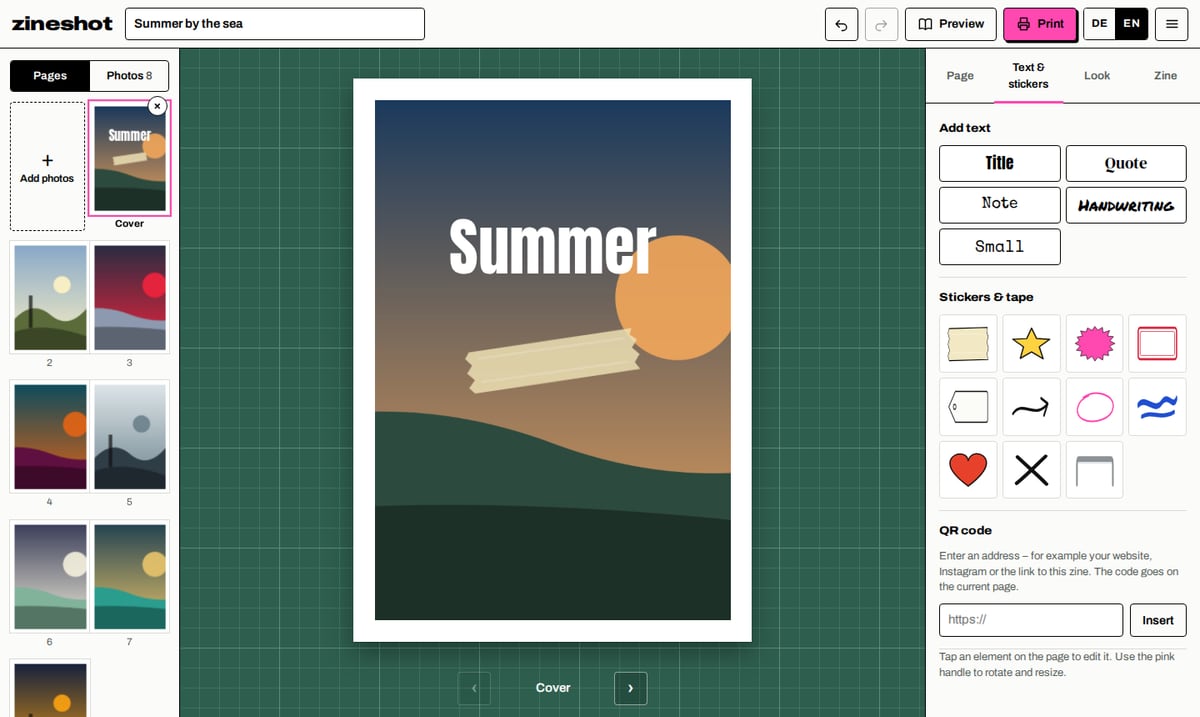
- Choose photos. They land on the pages in order. Drag to rearrange; extra photos wait in the photo tray.
- Design. Set the crop, one or two photos per page, landscape photos across a spread, captions, text, stickers, QR codes.
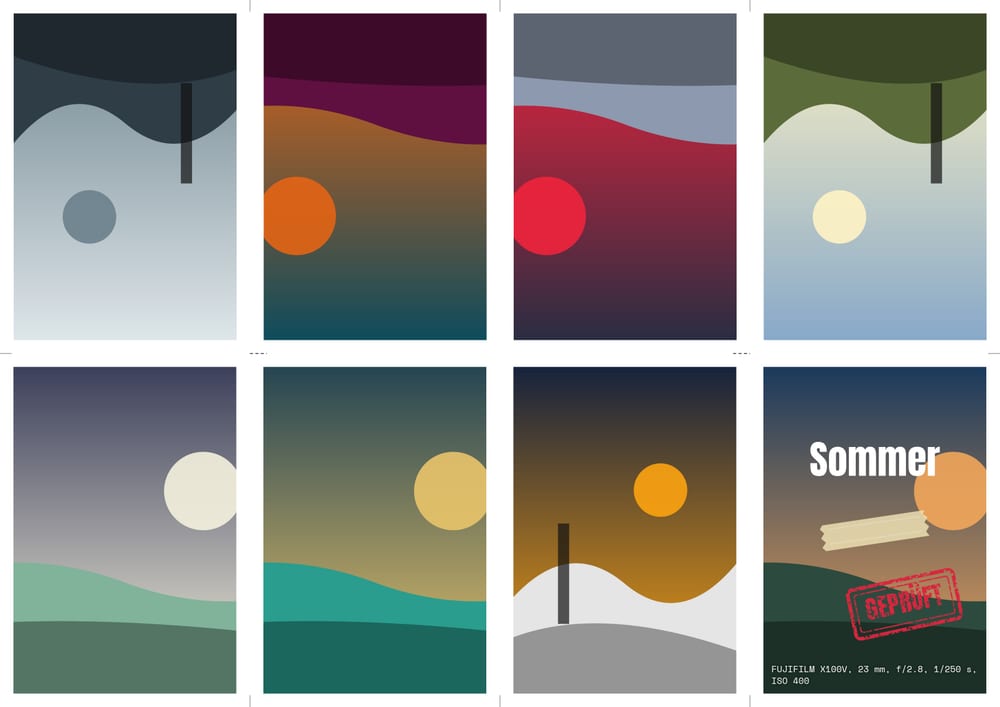
- Print and fold. Print the PDF on one sheet, fold, cut once. The guide shows every step.
What Zineshot can do
- 8-page folded zine from one sheet of A4, A3 or US Letter – no glue, no stapler
- Stapled booklet with 8 to 24 pages, also on A5 paper
- One or two photos per page and landscape photos across a spread
- Captions, optionally with the camera data from the photo
- Text in six fonts, stickers, tape and QR codes
- Optional looks: black and white, film grain, photocopy, halftone and two-colour riso
- Print-ready PDF and JPG at 300 dpi with fold and cut marks
- Page-flip preview of the finished zine and a black-and-white photocopy view
- Share link: others can page through online and print it themselves
- Works offline and installs as an app, in English and German
Two formats
Folded zine. The classic mini zine: eight pages on a single sheet. Print one side, fold, cut in the middle, fold together. Optionally add a big poster on the back of the sheet.
Stapled booklet. For more pages: print double-sided, stack the sheets, fold in the middle and staple twice. 8 to 24 pages in A5, A4 or A6.
How to fold
Fold lengthwise
Fold the sheet in half lengthwise, printed side out, and crease well. Unfold.
Fold across
Fold in half across so the short edges meet. Unfold.
Edges to the centre
Fold both short edges to the centre line. The sheet now has eight panels. Unfold everything.
One cut
Fold in half across and cut from the fold to the next crease – exactly through the two middle panels, no further.
Stand it up
Fold lengthwise, stand it up and push the ends together. The middle opens into a cross.
Close it
Fold the pages around the cover. Your zine is done.
Who is it for?
Photographers who want their pictures off the screen. Your photos stay untouched; looks are optional.
Zine makers who need a clean layout fast and still love the photocopy charm.
Schools, libraries and workshops. No account, no installation, no data on third-party servers – ideal for class.
Your photos stay with you
Zineshot runs entirely in your browser. Photos and projects are stored on your device only. No ads, no tracking and no cookies for visitors. Only if you explicitly create a share link are the finished pages uploaded – without camera data and deleted automatically after the period you choose.
Frequently asked questions
What is a mini zine?
A small, self-made booklet. The classic 8-page zine is made from a single sheet of paper: print one side, fold, make one cut – no glue, no stapler.
Does Zineshot cost anything?
No. Zineshot is a private, non-profit project: free, without ads, without an account and without paid extras.
Are my photos uploaded?
No. Everything happens in your browser. Only if you choose to create a share link are the finished pages uploaded – without camera data and only for the period you choose.
What paper and printer do I need?
Regular printer paper (80–100 gsm) and any printer. Print at 100 % or “actual size”. The folded zine is printed on one side, the booklet on both sides.
Can I print at a copy shop?
Yes. Bring the PDF and ask for 100 % size; for the booklet, double-sided with flip on the short edge.
Does Zineshot work on my phone?
Yes, on iPhone, iPad and Android. You can add it to your home screen as an app; it then works offline too.
How many pages can a zine have?
The folded zine always has 8 pages. The booklet has 8, 12, 16, 20 or 24 pages.
Can I continue later?
Yes. Your zines are saved in your browser automatically. To back up or move to another device, save a project file.
Ready for your first zine?
Eight photos are enough. In ten minutes you are holding a zine.
Make a zine now